
Fiddle & Fettle's Building a Website Guide
SSL
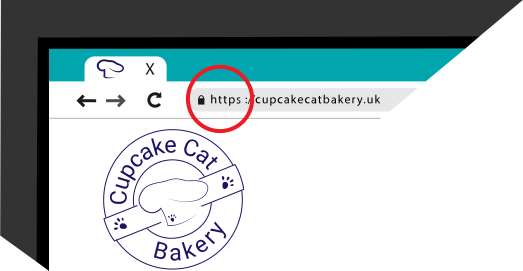
In your browsers address bar have you noticed that some URL's (Uniform Resource Locator's) have now changed. All URL's used to start with http:// (Hypertext Transfer Protocol) but now many have an added 'S' like this https:// (Hypertext Transfer Protocol Secure) so the extra 'S' is for Secure but what does that mean?
Well this shows that the website you are viewing has an Secure Sockets Layer Certificate (SSL) in place on it's web server. It is making sure the connection between your browser and the websites server is secure. So any data such as personal or credit / debit card details you enter is encrypted and passes securely to the web server.
It also protects your webpage from being altered. For example say your website didn't have a SSL certificate and the person visiting it was using a free Wi-Fi network like in a cafe or Hotel, the business who's Wi-Fi they're using could inject advertising. This could either be their own or from a third party ad agency who are paying them to display it on your webpage. Not only will you not have control over what this content is, these injected adverts can sometimes contain code that allows the company to collect information about the user and their device. With some also able to collect information from your server files. But even worse some may contain nasties such as viruses and spyware.
Modern web browsers make it easy to identify if the website you are viewing is secure or not. It will show a padlock symbol in the address bar. None secure websites will say 'Not Secure' before the URL instead.
It is beneficial for all websites to have a SSL certificate nowadays. Even if you do not collect any type of personal details from your customers. Because it directly effects your SEO as it is now part of Google's search ranking algorithm. This means it could be the difference between you or a competitor having a higher Google ranking.
Most websites only require a Standard SSL certificate. These can easily be purchased from your hosting company or web builder service. But these may charge you anything from under £10 up to £100's (or $'s) which should then cover your website for a 1 or 2 year period.
Some hosting companies allow you to add free SSL certificates to your web server. These are usually only valid for 3 months at a time. But you or your website designer can set them up and enable them to auto renew. These free certificates offer you no less security than other standard one's you pay for.

Tom's Website
Tom doesn't need to worry about this. As I add free SSL certificates automatically to all websites I design and build. Making sure they are set to auto renew so you are constantly covered.
Basics of a Website
I hope that covers SSL certificates for you all. Lastly Tom wants to know about maintaining and supporting his website.
 Top of Page